Reimagine Labs: Navigator

Client

Reimagine Labs

Role

Lead Designer

Website

https://www.thenavigator.ai/

Overview

Overview

Context

Reimagine Labs is developing Navigator, a generative AI tool to assist the social and public sectors with research and business development. I prototyped their MVP, which included creating wireframes, AI-assisted editing interactions, and multi-layered workflows for users with limited technical experience.

Challenge

Design an AI-powered business development tool that enables non-technical social sector professionals to create grant applications and program proposals without requiring AI prompting expertise.

Outcome

I delivered the prototype and interaction flows that formed the foundation of the Navigator MVP and secured additional funding and stakeholder buy-in. These designs established the product's first set of AI interaction patterns, giving Reimagine Labs a testable prototype for pilots with nonprofits.

Learn more at: https://www.thenavigator.ai/

Research

Research

Competitive Analysis: Mapping AI Interaction Patterns

With limited established patterns for AI interactions, I conducted analysis of 20+ AI products to identify effective approaches.

Notion AI:
Stood out for its ability to highlight and edit specific text, offering AI-assisted options that enhance adaptability and user control. It helps users overcome prompting challenges and makes a wide range of options easily accessible.
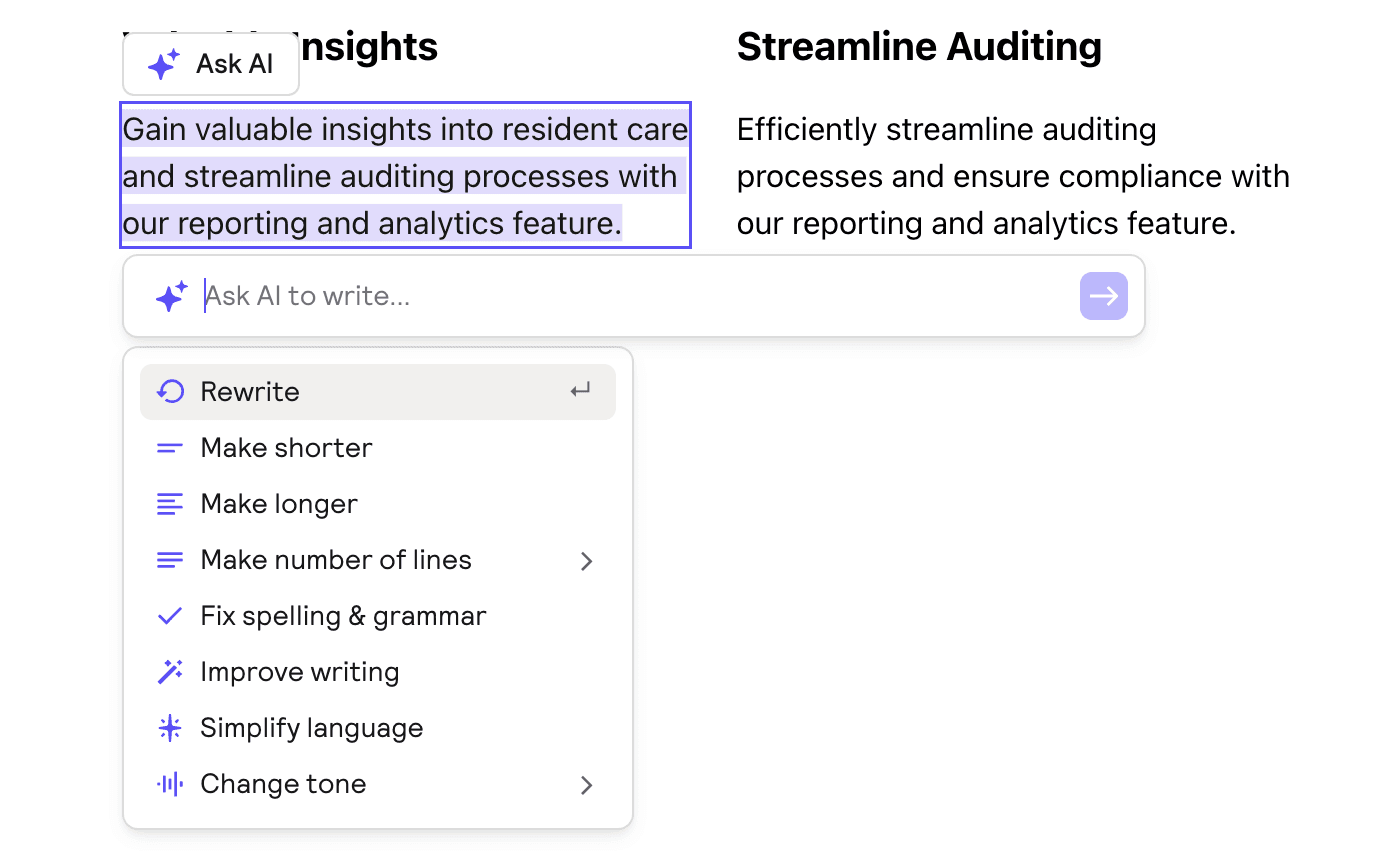
Relume AI:
Allows users to edit specific text boxes, providing clear feedback on which sections are being edited and offering appropriate use case prompts. However, it lacks the ability for users to reject AI-generated content before replacing it or revert to previous edits.
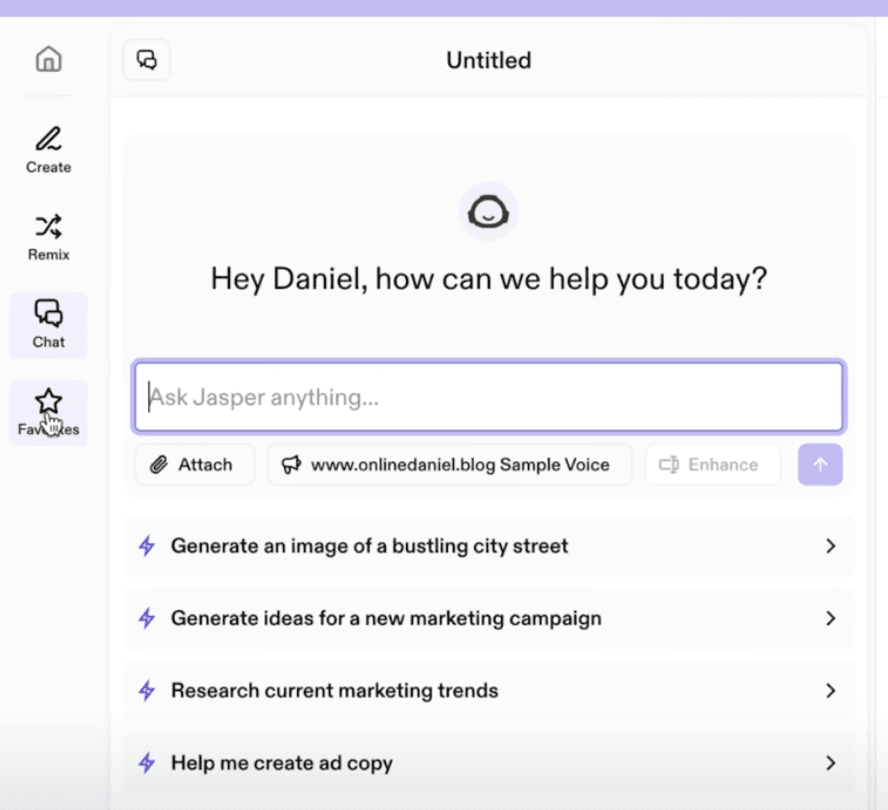
Jasper AI:
Strong template-based generation but required significant AI prompting knowledge, making it unsuitable for our target audience.

Key Insights

Template-driven approaches outperform blank canvas interfaces for non-technical users

  • Progressive disclosure allows users to start simple and access advanced features as needed

  • Clear boundaries help users understand exactly what AI will modify

  • Manual fallbacks maintain user agency when AI suggestions miss the mark

Define

Define

User Context

Primary Users:

Social sector professionals (nonprofit staff, community organizers, grant writers)

  • Limited technical experience with AI tools

  • Need professional, evidence-based content for funding applications

  • Prefer familiar workflows over cutting-edge interfaces

Design Principles

Based on research insights, I established core principles for Navigator's AI interactions:


Collaboration Over Automation

Following Microsoft’s Guidelines for Human–AI Interaction (Amershi et al., 2019), the interface should support collaboration rather than blind automation, setting clear expectations and making AI limitations transparent.


Modular Control Points

Implementing Ask → Explain → Revise → Confirm interaction primitives to give users clear leverage points throughout the AI workflow (Interaction Primitives (Tsiakas & Murray-Rust, 2024).


Progressive Enhancement

Layer AI capabilities from guided (suggested prompts) to flexible (custom prompts) to accommodate varying comfort levels with AI.

Based on research insights, I established core principles for Navigator's AI interactions:


Collaboration Over Automation

Following Microsoft’s Guidelines for Human–AI Interaction (Amershi et al., 2019), the interface should support collaboration rather than blind automation, setting clear expectations and making AI limitations transparent.


Modular Control Points

Implementing Ask → Explain → Revise → Confirm interaction primitives to give users clear leverage points throughout the AI workflow (Interaction Primitives (Tsiakas & Murray-Rust, 2024).


Progressive Enhancement

Layer AI capabilities from guided (suggested prompts) to flexible (custom prompts) to accommodate varying comfort levels with AI.

Based on research insights, I established core principles for Navigator's AI interactions:


Collaboration Over Automation

Following Microsoft’s Guidelines for Human–AI Interaction (Amershi et al., 2019), the interface should support collaboration rather than blind automation, setting clear expectations and making AI limitations transparent.


Modular Control Points

Implementing Ask → Explain → Revise → Confirm interaction primitives to give users clear leverage points throughout the AI workflow (Interaction Primitives (Tsiakas & Murray-Rust, 2024).


Progressive Enhancement

Layer AI capabilities from guided (suggested prompts) to flexible (custom prompts) to accommodate varying comfort levels with AI.

Information Architecture

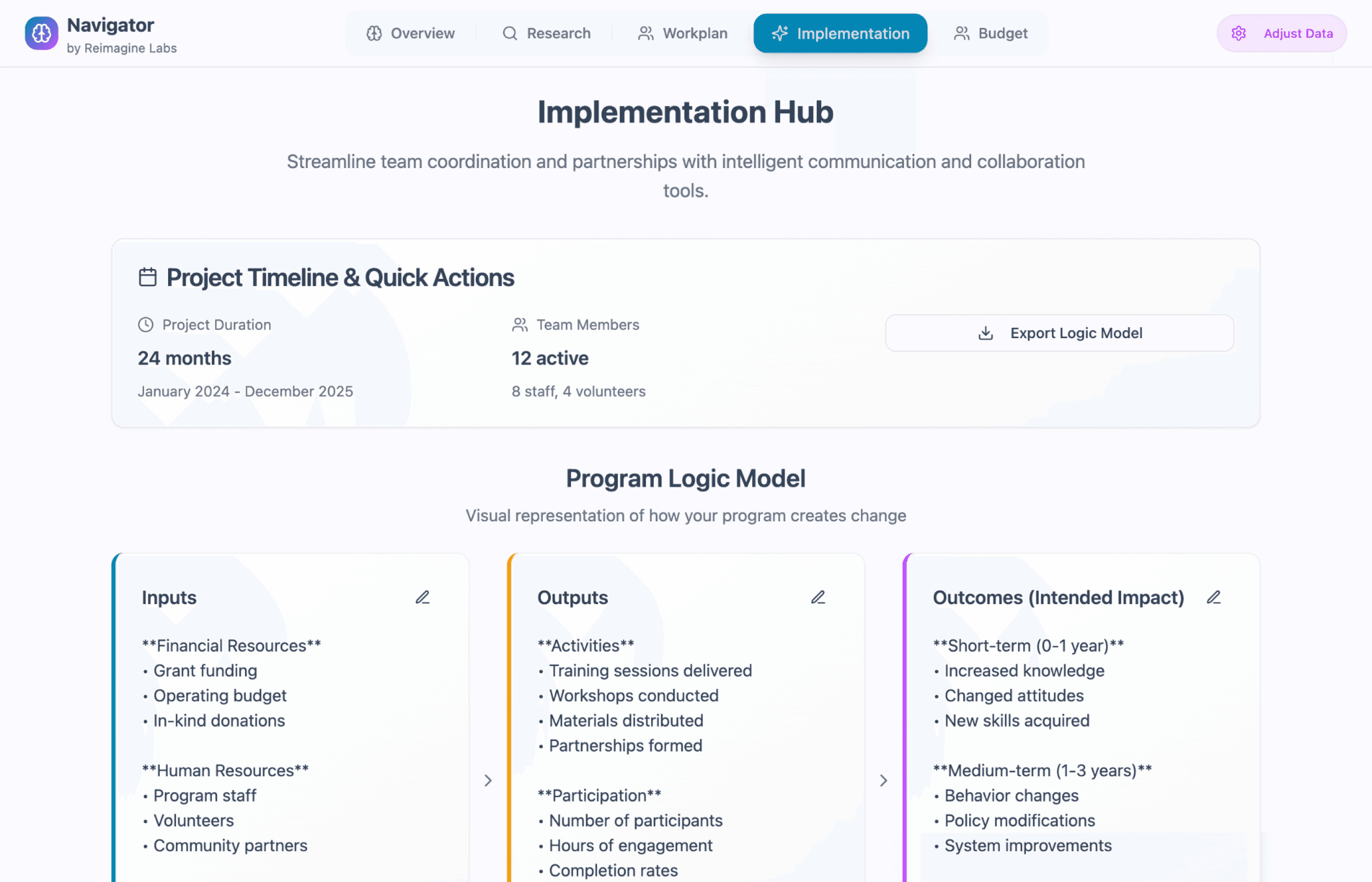
I designed five core templates that mirror established business development frameworks:

  • Overview: Project summary and impact statement

  • Research: Evidence base and literature review

  • Workplan: Timeline, tasks, and deliverables

  • Implementation: Partnership networks and execution strategy

  • Budget: Financial planning and resource allocation

I designed five core templates that mirror established business development frameworks:

  • Overview: Project summary and impact statement

  • Research: Evidence base and literature review

  • Workplan: Timeline, tasks, and deliverables

  • Implementation: Partnership networks and execution strategy

  • Budget: Financial planning and resource allocation

I designed five core templates that mirror established business development frameworks:

  • Overview: Project summary and impact statement

  • Research: Evidence base and literature review

  • Workplan: Timeline, tasks, and deliverables

  • Implementation: Partnership networks and execution strategy

  • Budget: Financial planning and resource allocation

Design

Design

Design

Structured Templates for AI-Generated Content
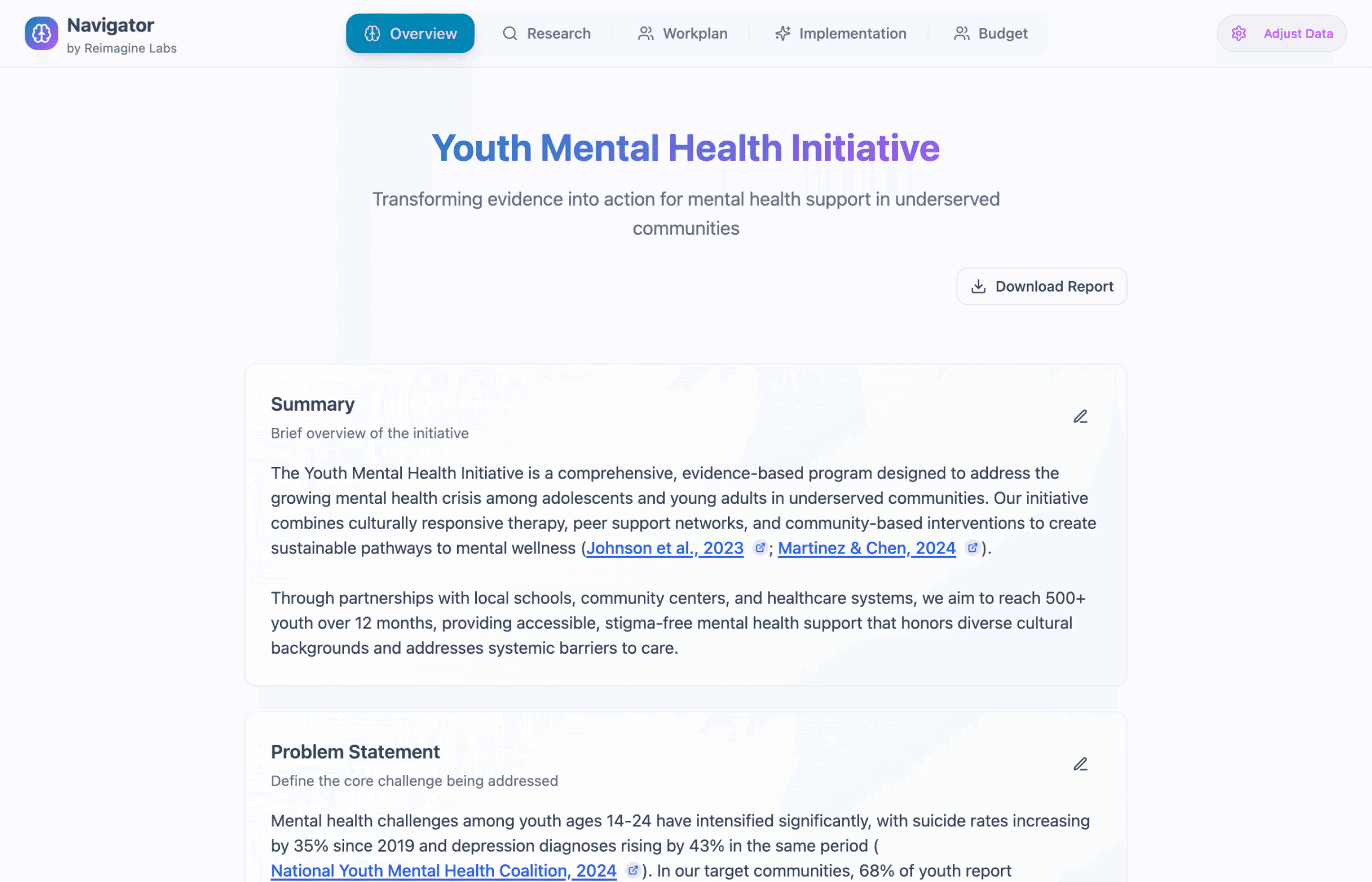
I created templates that present AI outputs across core business development sections, ensuring consistency and grounding content in established frameworks that nonprofits recognize and funders expect.

I created templates that present AI outputs across core business development sections, ensuring consistency and grounding content in established frameworks that nonprofits recognize and funders expect.

I created templates that present AI outputs across core business development sections, ensuring consistency and grounding content in established frameworks that nonprofits recognize and funders expect.

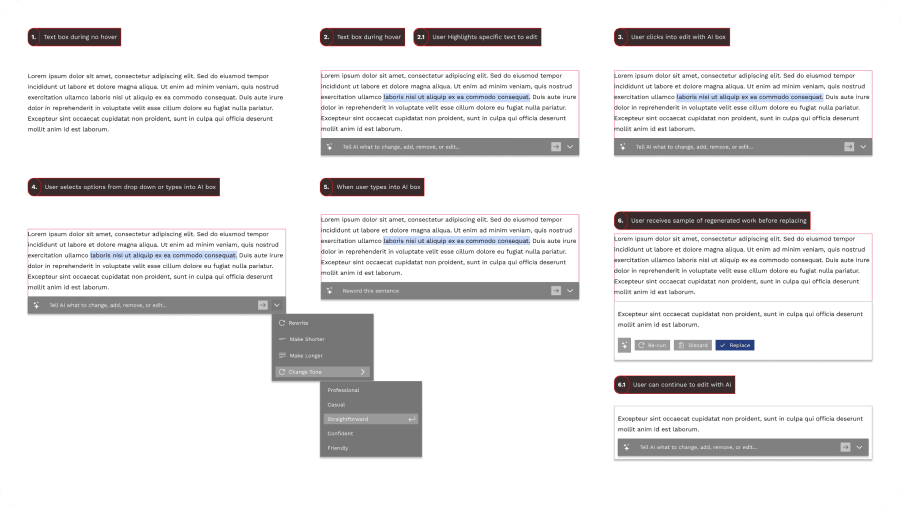
AI Editing Flow Concepts

I created detailed interaction flows to communicate the AI editing concept to the product and engineering teams

Due to MVP timeline constraints, we implemented a simplified version without text highlighting, but these flows established the interaction model for future iterations.

I created detailed interaction flows to communicate the AI editing concept to the product and engineering teams

Due to MVP timeline constraints, we implemented a simplified version without text highlighting, but these flows established the interaction model for future iterations.

I created detailed interaction flows to communicate the AI editing concept to the product and engineering teams

Due to MVP timeline constraints, we implemented a simplified version without text highlighting, but these flows established the interaction model for future iterations.

AI Editing Interactions: Supporting Control & Discovery

To give users agency over AI output, I built three ways to refine content:


  1. Custom Prompts: Advanced users can write specific instructions for AI modifications

  2. Suggested Prompts: Contextual options like "Make Shorter," "Change Tone," "Add Statistics" guide users without requiring prompting skills

  3. Direct Manual Editing: Always available as a fallback when AI suggestions don't meet user needs


This approach supports both novice and expert users, aligning with the Ask → Revise → Confirm interaction pattern.

To give users agency over AI output, I built three ways to refine content:


  1. Custom Prompts: Advanced users can write specific instructions for AI modifications

  2. Suggested Prompts: Contextual options like "Make Shorter," "Change Tone," "Add Statistics" guide users without requiring prompting skills

  3. Direct Manual Editing: Always available as a fallback when AI suggestions don't meet user needs


This approach supports both novice and expert users, aligning with the Ask → Revise → Confirm interaction pattern.

To give users agency over AI output, I built three ways to refine content:


  1. Custom Prompts: Advanced users can write specific instructions for AI modifications

  2. Suggested Prompts: Contextual options like "Make Shorter," "Change Tone," "Add Statistics" guide users without requiring prompting skills

  3. Direct Manual Editing: Always available as a fallback when AI suggestions don't meet user needs


This approach supports both novice and expert users, aligning with the Ask → Revise → Confirm interaction pattern.

Foundation Data Control

I designed the “Adjust Data” flow to let users update core project details and have changes ripple across all templates. Clear warnings explain how edits shape AI outputs, combining transparency with user control. This empowers users to manage big updates confidently, without being surprised by system-wide impacts.

Conclusion

Conclusion

Conclusion

Impact

I established core AI interaction patterns for Reimagine Labs that became the foundation for their MVP. The prototype was instrumental in securing additional funding and launching pilot programs with nonprofit partners. Many features from the original design remain in active development as the product scales.

Note: I was not involved in user testing this prototype, as the project moved directly from design to pilot implementation.

Key Contributions

  • AI Interaction Framework: Developed reusable patterns for AI-human collaboration in content generation.

  • Template Architecture: Created all structured content templates that guide AI generation while grounding outputs in nonprofit sector standards

  • UI Design & User Flows: Designed the complete interface and user flows that guided engineering implementation

Learnings

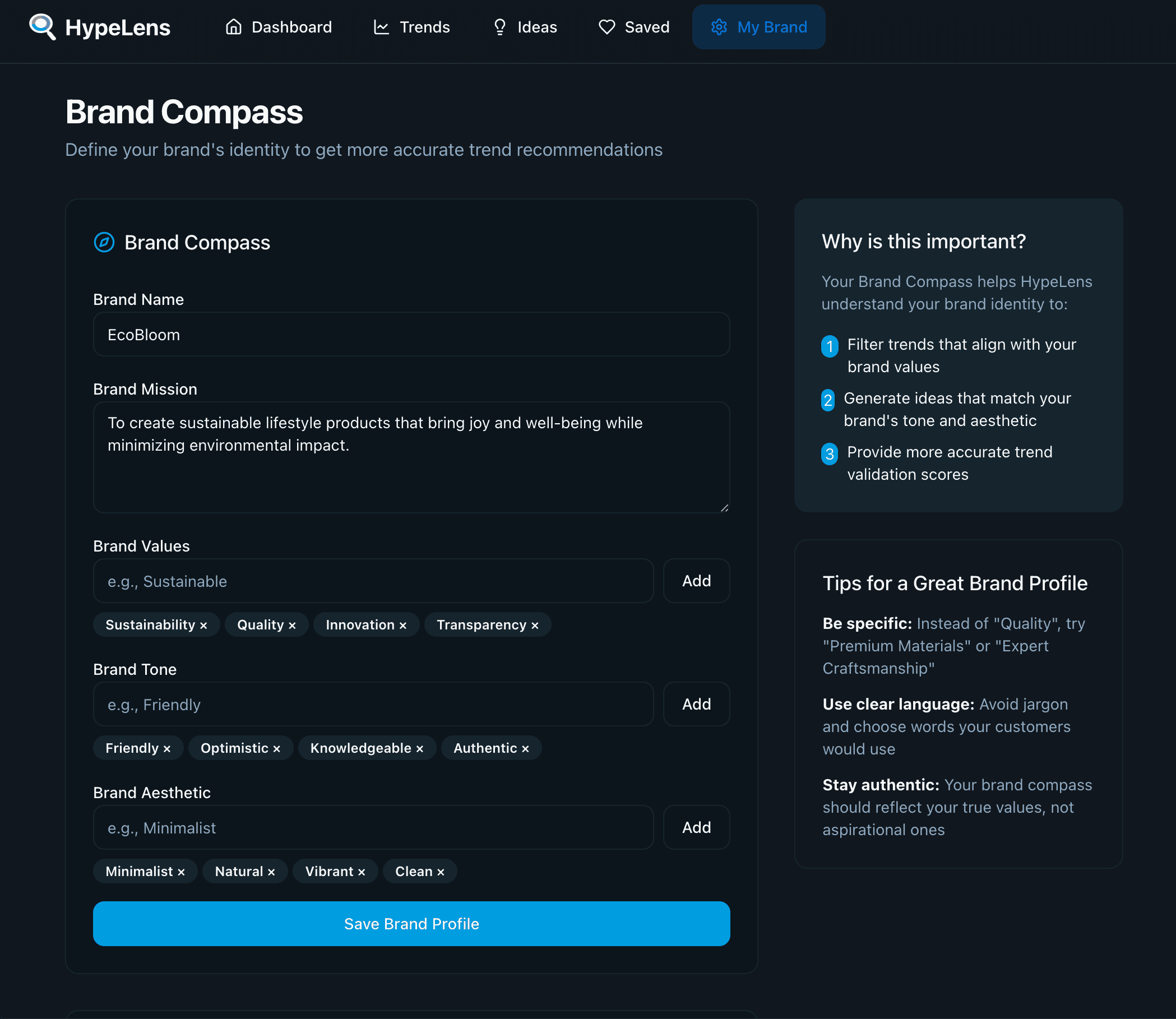
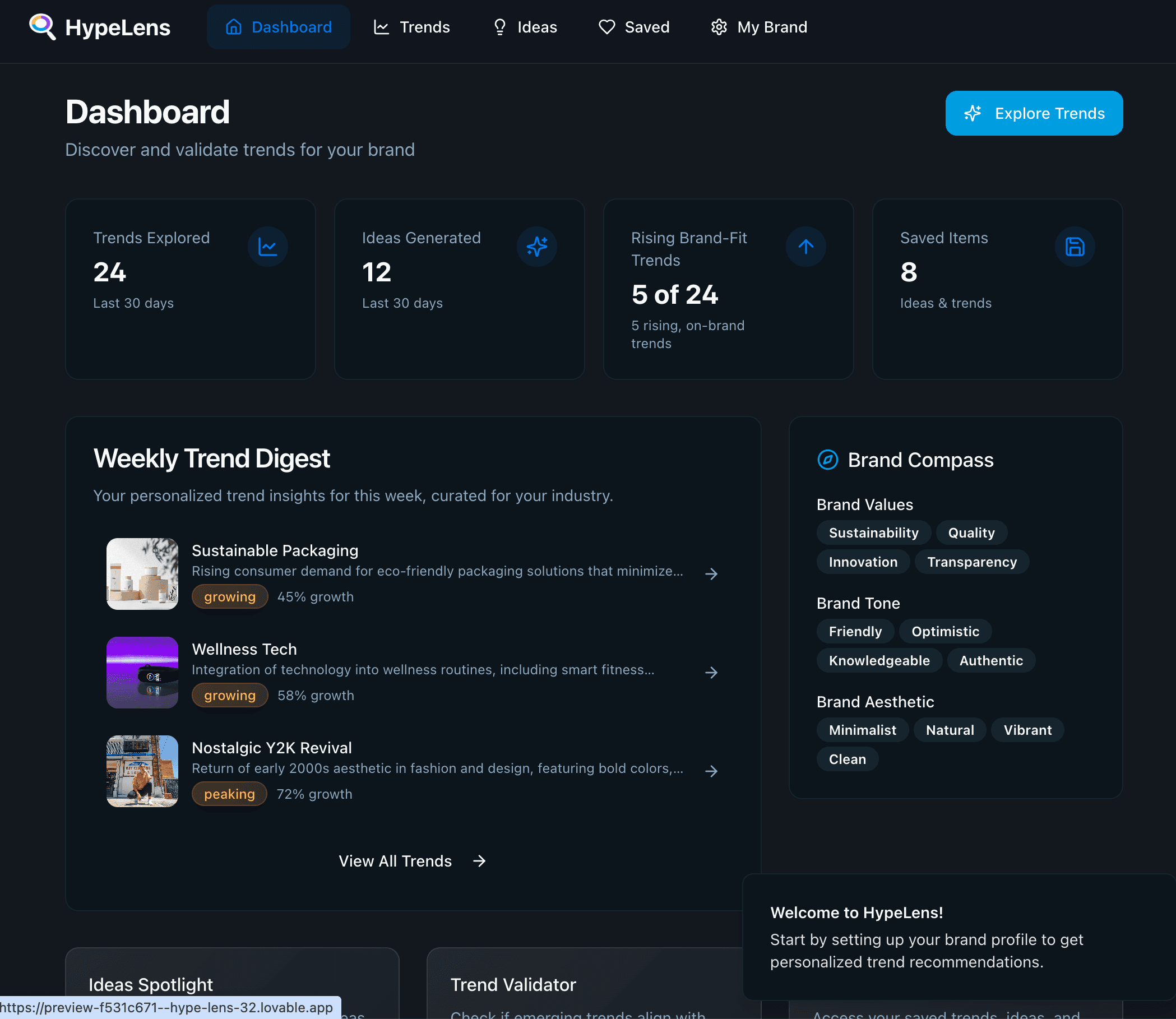
I wouldn't have been able to tackle this complexity without leaning heavily on AI tools throughout my design process, from research synthesis to wireframe ideation and rapid prototyping. This AI-augmented approach enabled faster iteration and deeper exploration of interaction concepts, which proved essential when designing AI interactions themselves. (To learn more about my AI-augmented design process, view the HypeLens case study.)

I wouldn't have been able to tackle this complexity without leaning heavily on AI tools throughout my design process, from research synthesis to wireframe ideation and rapid prototyping. This AI-augmented approach enabled faster iteration and deeper exploration of interaction concepts, which proved essential when designing AI interactions themselves. (To learn more about my AI-augmented design process, view the HypeLens case study.)

I wouldn't have been able to tackle this complexity without leaning heavily on AI tools throughout my design process, from research synthesis to wireframe ideation and rapid prototyping. This AI-augmented approach enabled faster iteration and deeper exploration of interaction concepts, which proved essential when designing AI interactions themselves. (To learn more about my AI-augmented design process, view the HypeLens case study.)

Contact

Let's Get in Touch

Send an email about your project and lets get started.

hi@stefnav.design

Copied

Contact

Let's Get in Touch

Send an email about your project and lets get started.

hi@stefnav.design

Copied

Contact

Let's Get in Touch

Send an email about your project and lets get started.

hi@stefnav.design

Copied

Other Projects

Other Projects

Other Projects

Stefan

Navarrete

Stefan Navarrete

Product Designer | UX/UI Specialist |

Masters of Information, University of Toronto

© 2025 Stefan Navarrete. All rights reserved.

Stefan

Navarrete

Stefan Navarrete

Product Designer | UX/UI Specialist |

Masters of Information, University of Toronto

© 2025 Stefan Navarrete. All rights reserved.

Stefan

Navarrete

Stefan Navarrete

Product Designer | UX/UI Specialist |

Masters of Information, University of Toronto

© 2025 Stefan Navarrete. All rights reserved.